

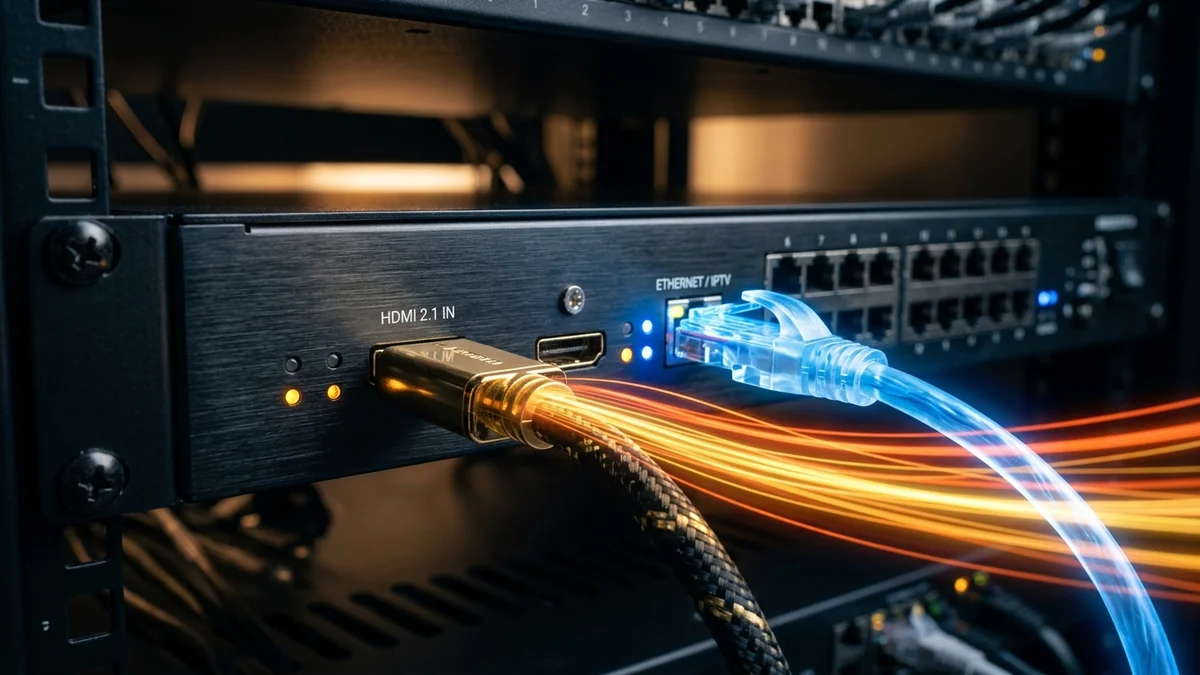
Learning how to convert HDMI to IPTV—and understanding how does an video encoder work—allows you to take any uncompressed HDMI camera, satellite receiver, or digital signage feed and broadcast it across your local Ethernet/Wi-Fi network to unlimited Smart TVs, Firesticks, and computers. Instead of running expensive long-distance HDMI cables, a hardware video encoder compresses raw 3 Gbps HDMI baseband video into a lightweight 8–15 Mbps H.265 (HEVC) IP stream playable via a standard M3U playlist.
Table of Contents
1. How Does an IPTV Encoder Work? (The 4-Stage Pipeline)
An uncompressed 1080p 60fps HDMI video signal runs at roughly 2.98 Gbps (3,000 Mbps), and a raw 4K 60fps HDMI signal requires 12 to 18 Gbps—far too large for standard home or office networks. An streaming hardware encoder solves this in four stages:
- Baseband HDMI/SDI Ingestion: The encoder captures the raw uncompressed digital video frames and PCM/Dolby audio from your HDMI source.
- Spatial & Temporal Video Compression: A dedicated hardware ASIC chip compresses the video using ITU-T H.265 (HEVC) or H.264 (AVC), removing redundant pixels across I-frames, P-frames, and B-frames to reduce bandwidth by 99.6% (down to 6–15 Mbps).
- MPEG-TS Multiplexing: The compressed video elementary stream and AAC audio stream are muxed into an ISO/IEC 13818-1 MPEG Transport Stream (MPEG-TS).
- IP Packetization: The transport stream is encapsulated into UDP/RTP multicast or HTTP/HLS/SRT unicast packets and transmitted out the encoder’s RJ45 Gigabit Ethernet port.
2. Required Hardware for HDMI-to-IPTV Conversion
- HDMI Video Source: Set-top box, broadcast camera, PC graphics output, or media player (if the source uses HDCP encryption, ensure your commercial deployment complies with signal rules or uses an authorized HDMI headend).
- Hardware H.265/H.264 IPTV Encoder: A standalone encoder box (see our guide to the 7 Best Budget IPTV Encoders).
- Gigabit Switch with IGMP Snooping: Essential if using UDP multicast (IETF RFC 4541) so multicast video packets don’t flood Wi-Fi access points.
3. Step-by-Step: How to Convert HDMI to IPTV in 5 Steps
- Step 1 — Connect Hardware: Plug your HDMI source into the encoder’s
HDMI INport and connect the encoder’sLANport to your Gigabit network switch. - Step 2 — Access Encoder Web GUI: Open a browser on your PC and navigate to the encoder’s default static IP (typically
http://192.168.1.168) using the default admin login. - Step 3 — Configure Video Encoding: Under Main Stream Settings, set Codec to H.265 (HEVC) (or H.264 for legacy TVs), Resolution to
1920x1080or3840x2160, Frame Rate to60 fps, Keyframe (GOP) interval to60(1 second), and Bitrate Control to CBR (Constant Bitrate) at 8000 kbps (8 Mbps). - Step 4 — Enable Stream Protocol: Enable HTTP-TS (e.g.,
http://192.168.1.168:8000/ch01.ts) for up to 5–10 local viewers, or enable UDP Multicast (e.g.,udp://@239.255.0.1:5000) for 10 to 500+ simultaneous screens. - Step 5 — Load Stream in Your IPTV Player: Open VLC Media Player or any compatible Smart TV IPTV app and enter the stream URL.
5. Creating a Local M3U Playlist for Smart TVs & VLC
To make your converted HDMI feed appear alongside normal television channels, save the following text as local-hdmi-channels.m3u and load it into TiviMate, IPTV Smarters, or VLC:
#EXTINF:-1 tvg-id="HDMI1" tvg-name="Local HDMI Camera 1" group-title="Local LAN Feeds",Local HDMI Feed 1 (1080p60)
http://192.168.1.168:8000/ch01.ts
#EXTINF:-1 tvg-id="HDMI2" tvg-name="Multicast Feed" group-title="Local LAN Feeds",Local Multicast HDMI (UDP)
udp://@239.255.0.1:5000
Frequently Asked Questions
Connect your HDMI video source to a hardware H.264/H.265 video encoder, connect the encoder to your Gigabit network switch via Ethernet, configure a UDP multicast or HTTP/HLS stream URL in the encoder web interface, and open that URL as an M3U channel on any media player app.
An video encoder works in four steps: (1) it captures raw uncompressed digital video and audio from an HDMI or SDI input, (2) compresses the video using an H.264 or H.265 hardware ASIC chip, (3) multiplexes the video and AAC audio into an MPEG Transport Stream (MPEG-TS), and (4) outputs TCP/UDP IP packets over Ethernet.
Yes, if you use UDP/RTP multicast to stream HDMI to multiple TVs simultaneously, you should use a Gigabit switch with IGMP Snooping enabled so video packets are only forwarded to ports requesting the stream.
Ready to Experience Buffer-Free 4K & 60fps Streaming?
Activate your YEAH streaming subscription in minutes with Xtream Codes API & M3U credentials, full XMLTV EPG, and 24/7 technical support.
Related Tutorials & Guides
7 Best Budget IPTV Encoders in 2026: H.265 Hardware Tested →
Compare the most reliable affordable HDMI-to-streaming hardware encoders under $350.
What Is IPTV? Complete 2026 Architecture Guide →
Learn how headend encoding connects with global CDN streaming networks.